A web-based application for digital audits, reporting and action tracking in food safety, hygiene and operational quality. The on-site assessment, findings and photos, the report and the follow-up stay in one flow — so a finding doesn't stop at the report: it reaches the people responsible, gets planned and evidenced, and is tracked until it is approved.
From a finding on site to the report, the branch's action, quality review and the next audit plan. Narrated in English with on-screen captions; the app interface is in Turkish and shown with sample data.
The application is not an off-the-shelf subscription. Each set-up is planned with you, around how you audit and report.
For firms and independent specialists who carry out audits: checklists, findings, reports and corrective-action follow-up for the businesses they audit, in one place.
For businesses that want to follow their own food safety, hygiene and quality processes: internal audits across sites or branches, with actions tracked until they are closed.
Depending on your needs: a separate installation, an adaptation of the existing flow to your checklists and reports, or new features developed for you. Scope is agreed before work starts.
The application supports the audit process, from planning and recording findings to reporting and tracking corrective actions. The screens on this page show examples from a setup configured for mystery shopping and branch audits. Additional forms and workflows can be prepared or adapted during setup to suit your organisation and audit scope.
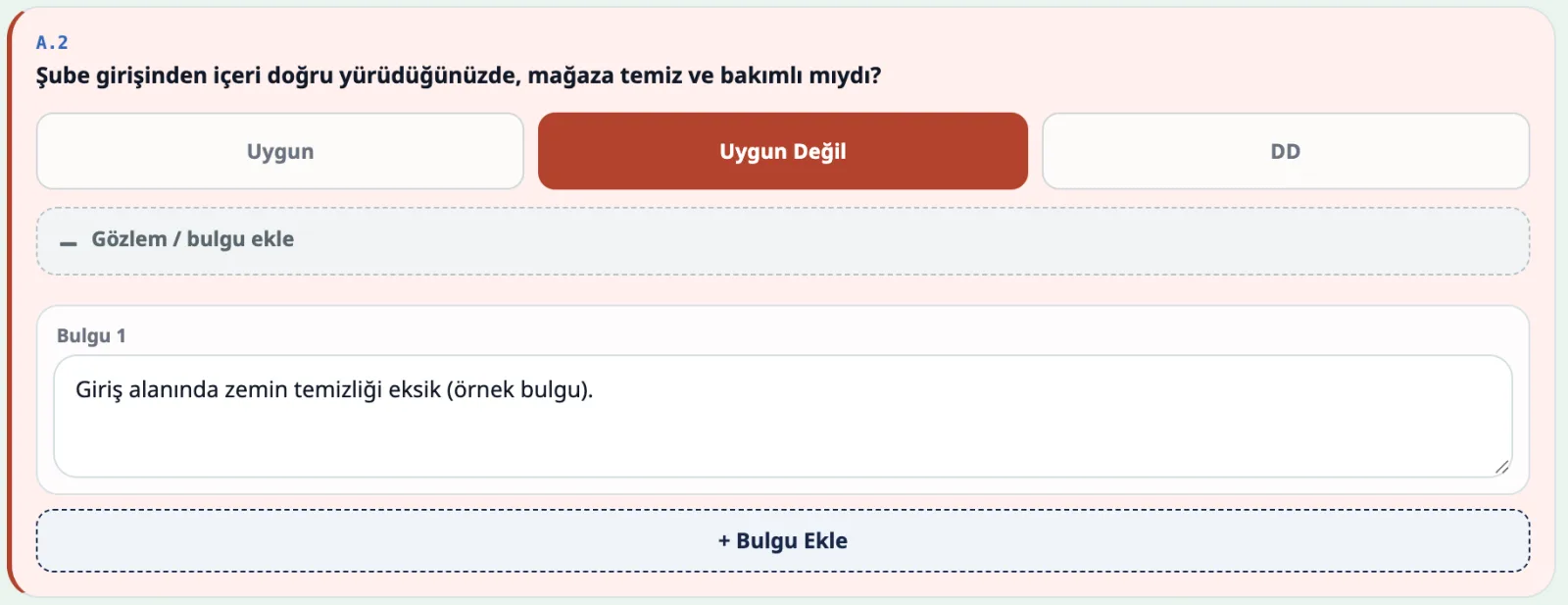
Each audit starts with branch, date, period and auditor. Every item is marked compliant, non-compliant or not applicable, and non-compliant items get a finding note.
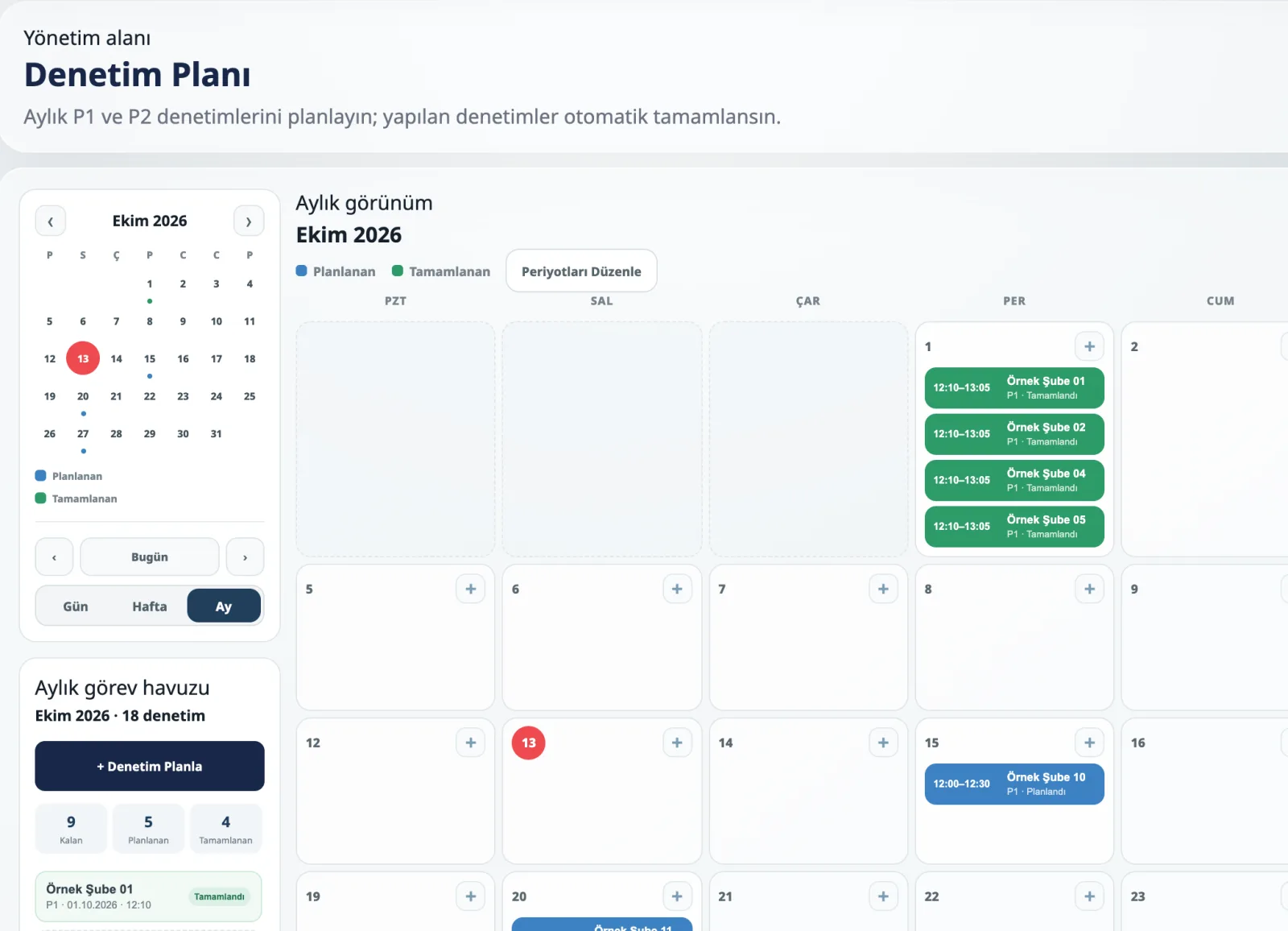
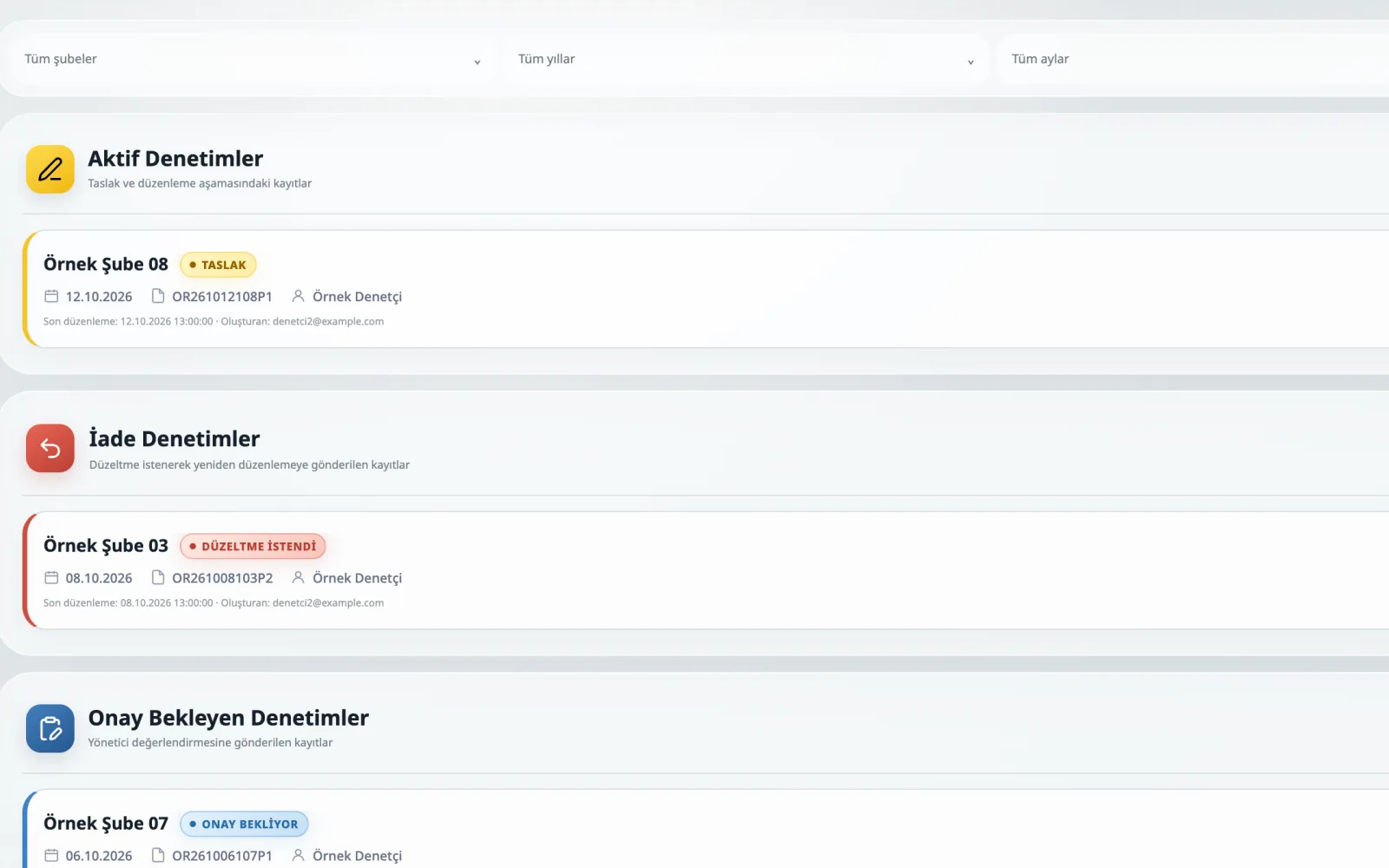
A monthly planning calendar schedules each branch's audit periods and shows planned and completed audits side by side.


Finding photos and attachments, such as receipts or appendix photos, are stored with the audit. Audit reports, action plans and overall evaluation reports are generated as PDFs in the browser — preview, download or share.
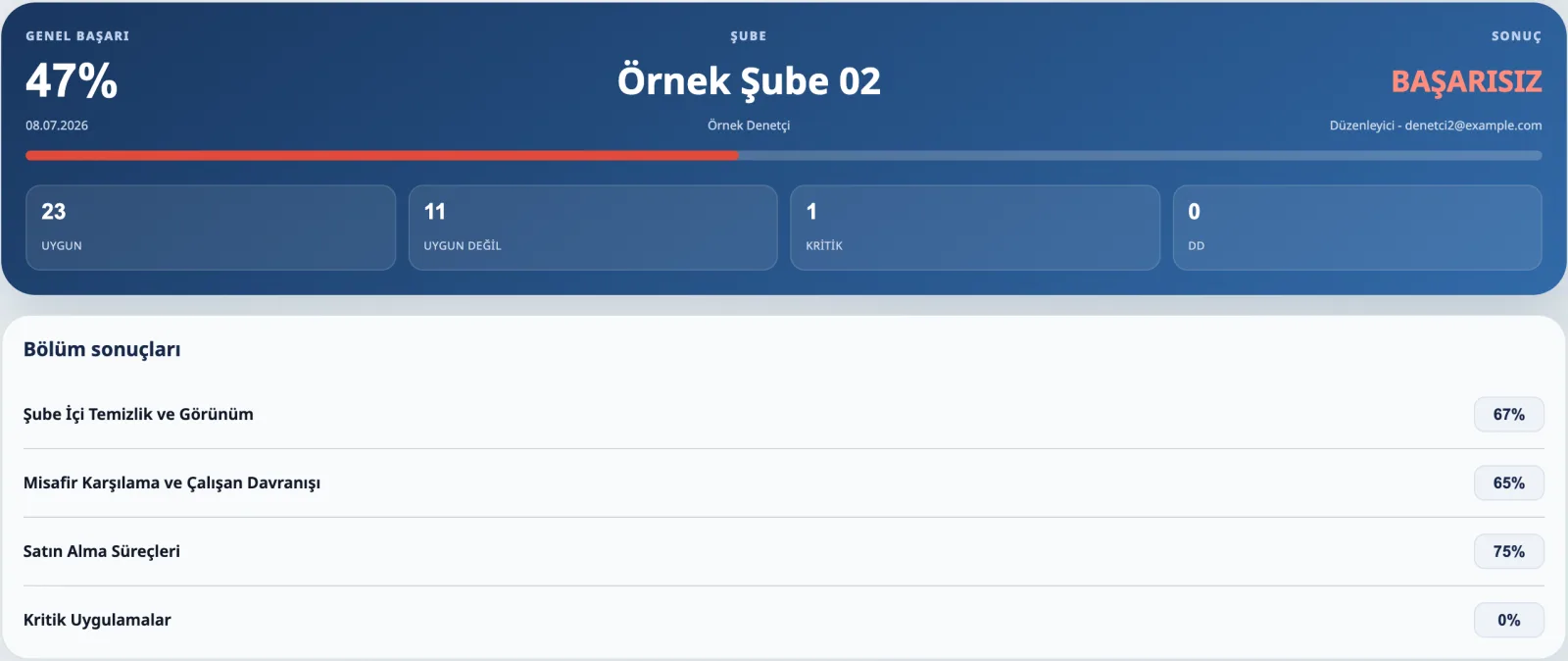
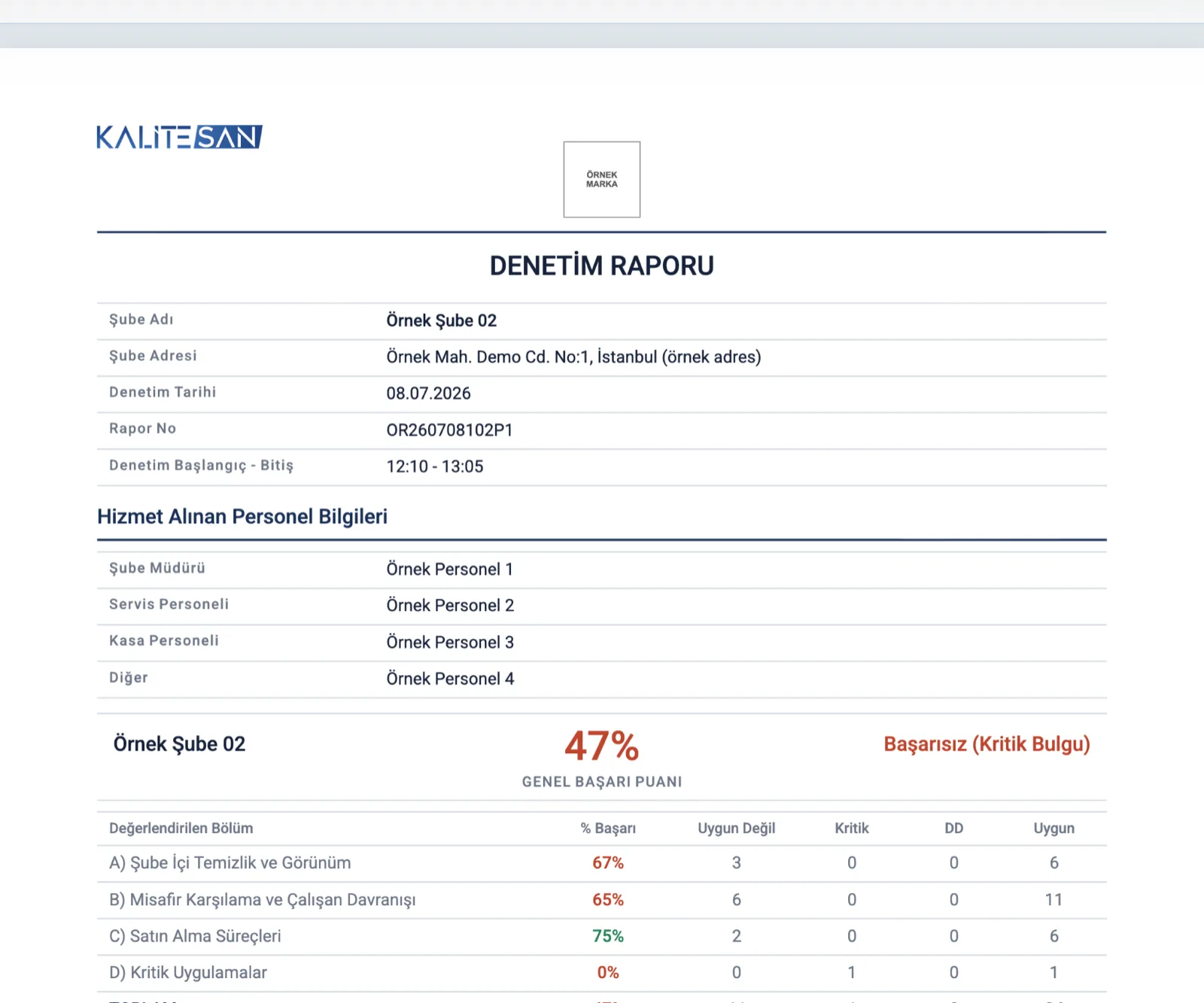
Each report brings together branch details, section scores, non-conformities, critical findings and appendix photos, so everyone reading it sees the same finding in the same context.


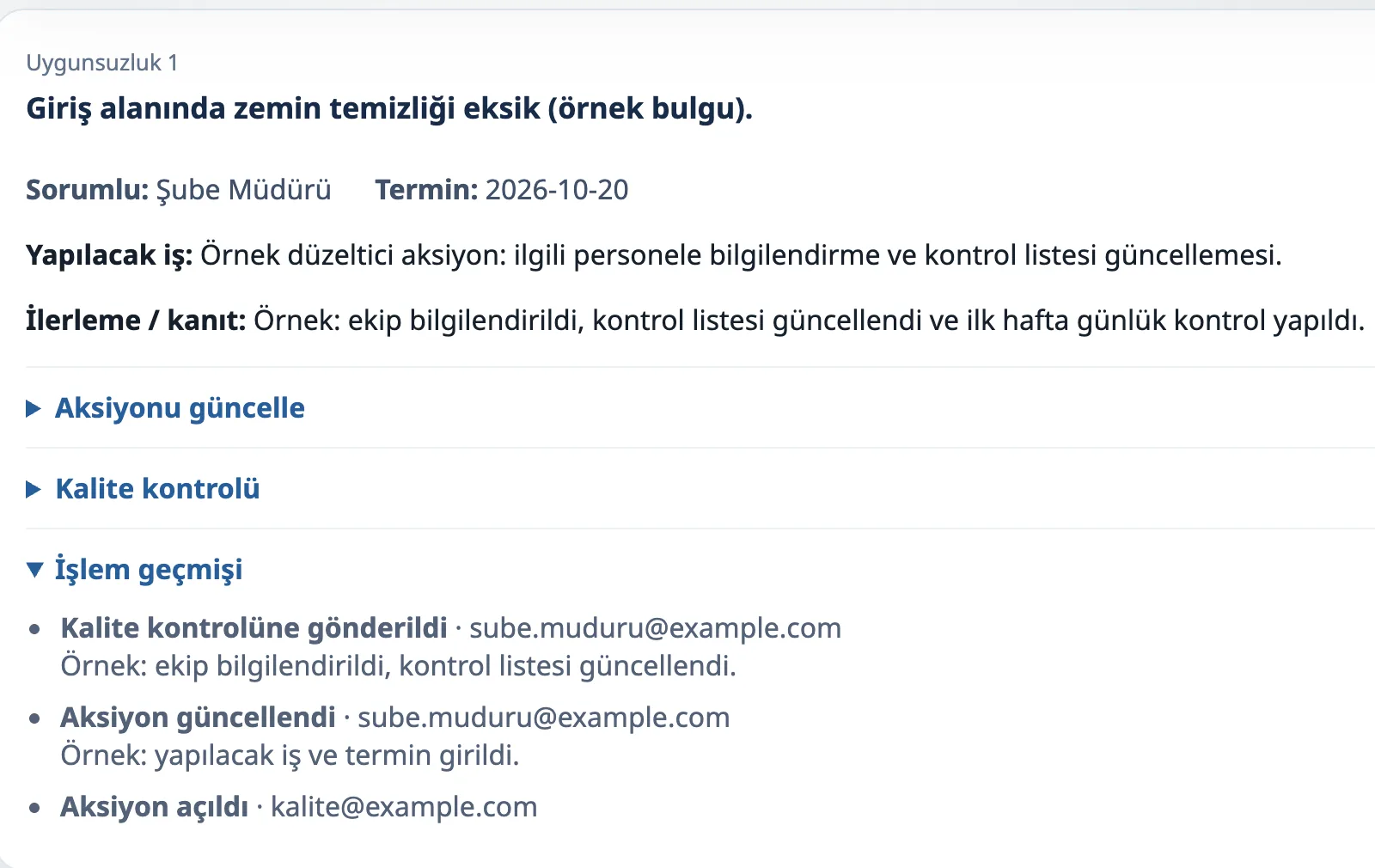
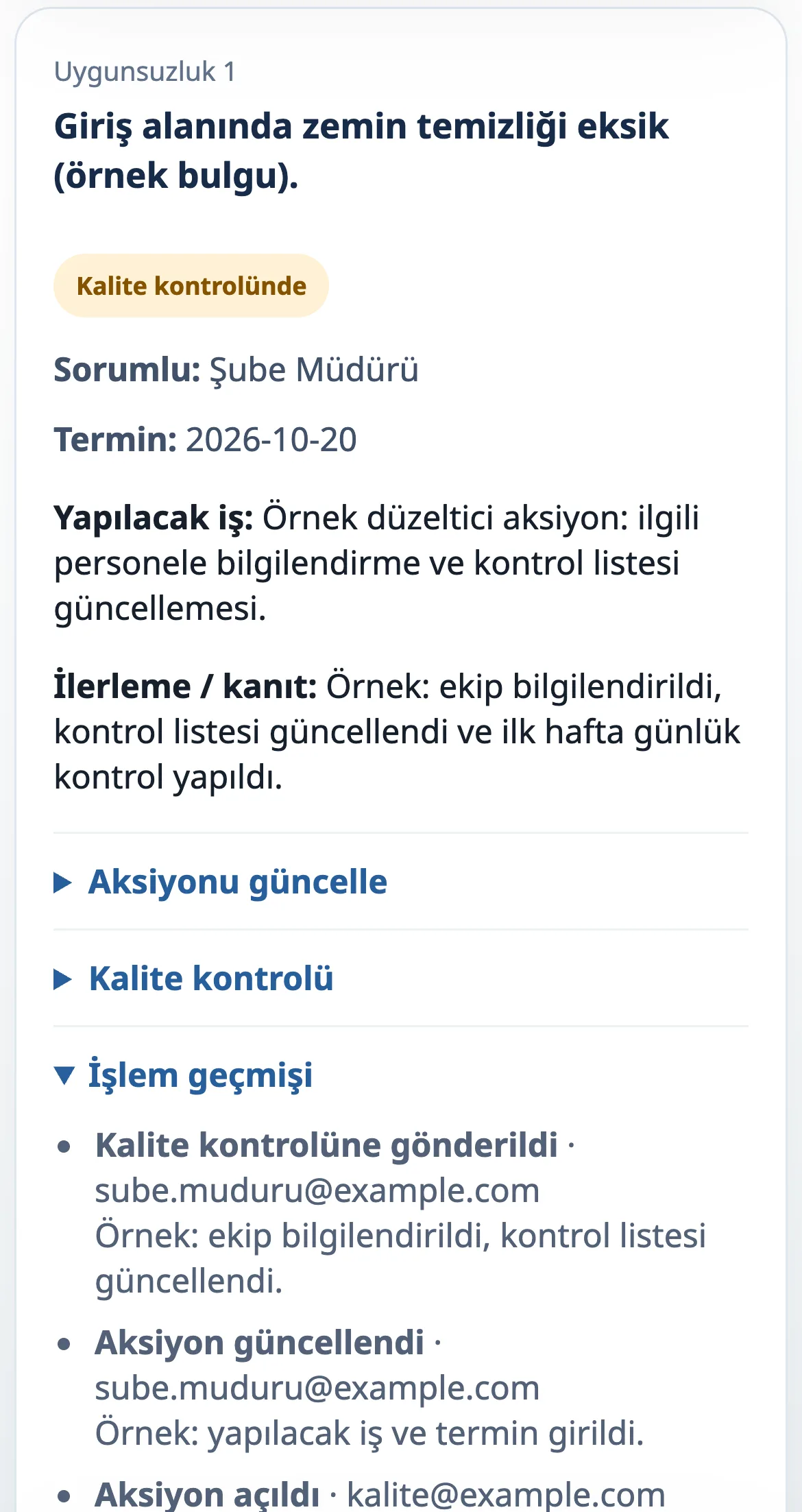
For each non-conformity in an approved audit, the branch manager records the task, due date and progress/evidence note and sends it for quality review. The quality team approves it or returns it with a reason.
Open, in-progress, under-review and approved actions — and their full history — stay on record.


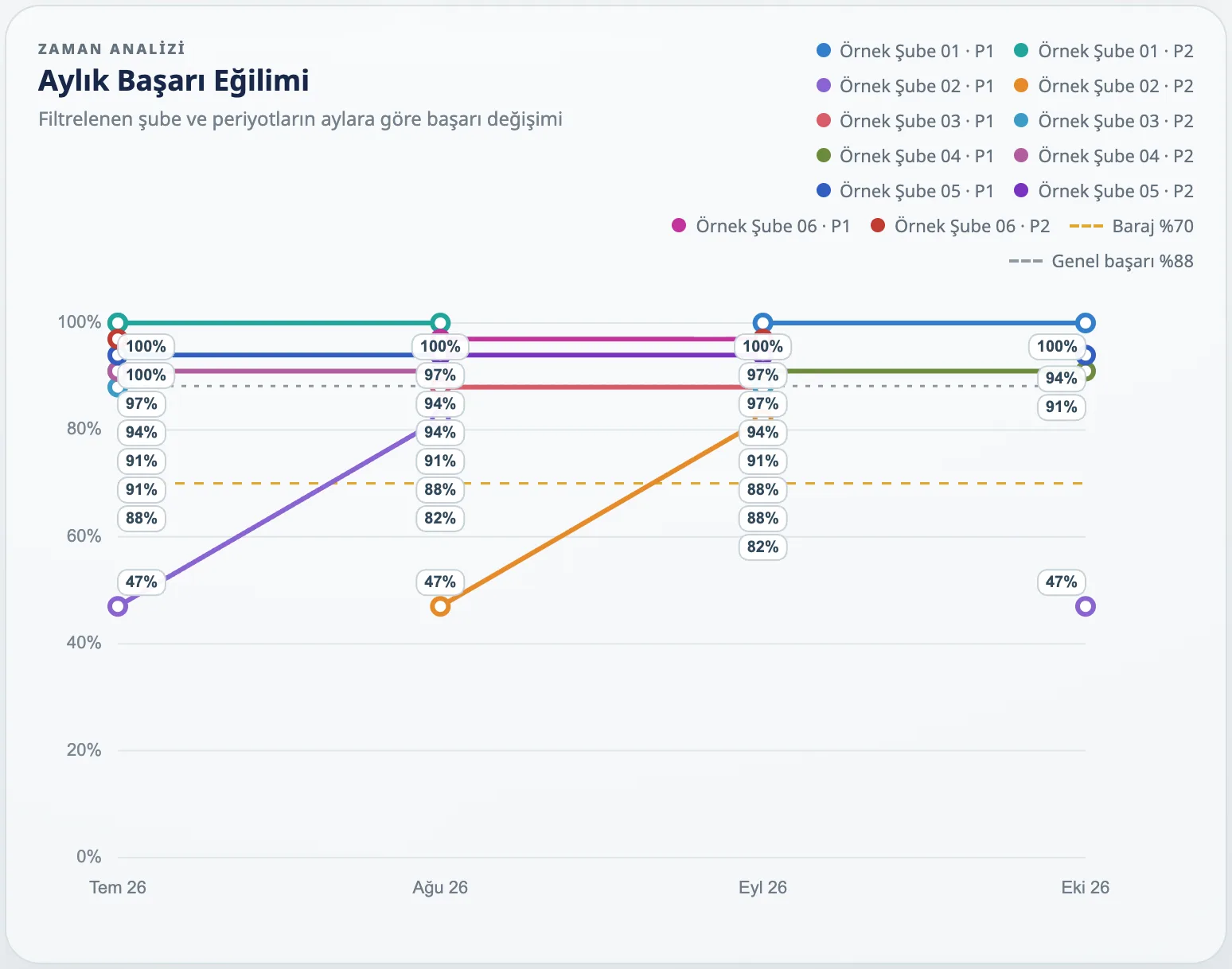
Filter by branch, year, month and period to see audit totals, pass rates, non-conformities, critical findings and the monthly trend in one view, and export the overall evaluation report as a PDF.

The application was developed jointly, combining KaliteSAN's audit expertise with Caglar's application development work.
Tell us what you audit, how often and how you report. We'll tell you whether a set-up, an adaptation or custom development fits.